How to get a Record of Account Transcript from the IRS
A Record of Account Transcript provides information about your tax return on file with the IRS. If your tax preparer asks you for one, here’s how to obtain it:
- Log in to your IRS account
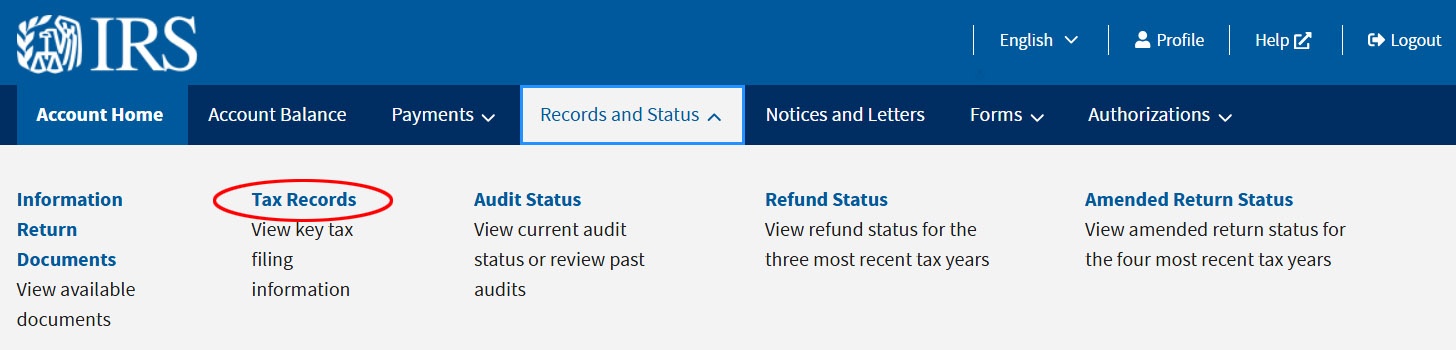
- Click on “Records and Status” on the top menu

- Click on “Tax Records” in the menu
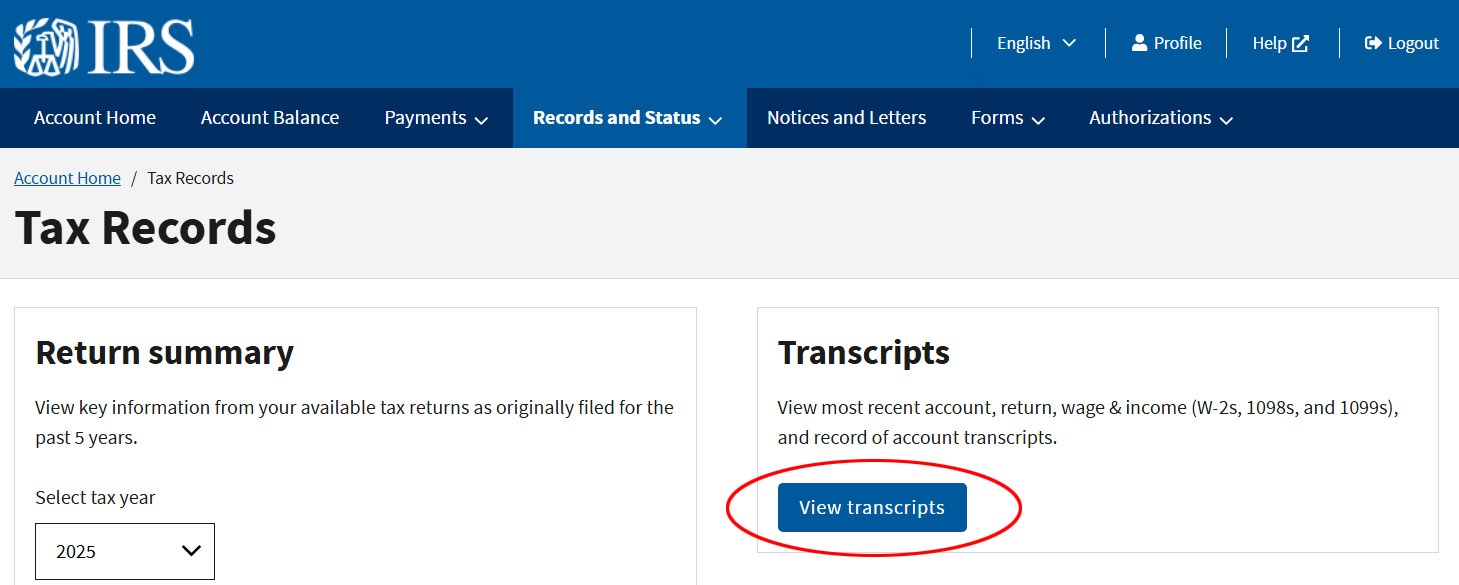
- Click the blue button that says “View Transcripts”
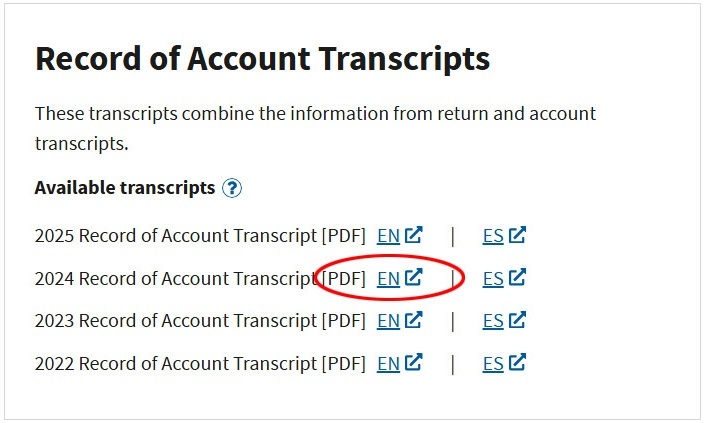
- Scroll down to the box that says “Record of Account Transcripts”
- Click the “EN” link next to the year you want (2024 in this example)
- Save the PDF file on your computer
- Attach it to an e-mail to your tax preparer
If you have any questions, please ask.